
Disk analyzer & cleaner for macOS
Zen for your disk.
See where your Mac's space went — as a living sunburst chart. Then reclaim it, safely and satisfyingly.
Download on the Mac App Store$4.99 · one-time purchase · macOS 14 or later
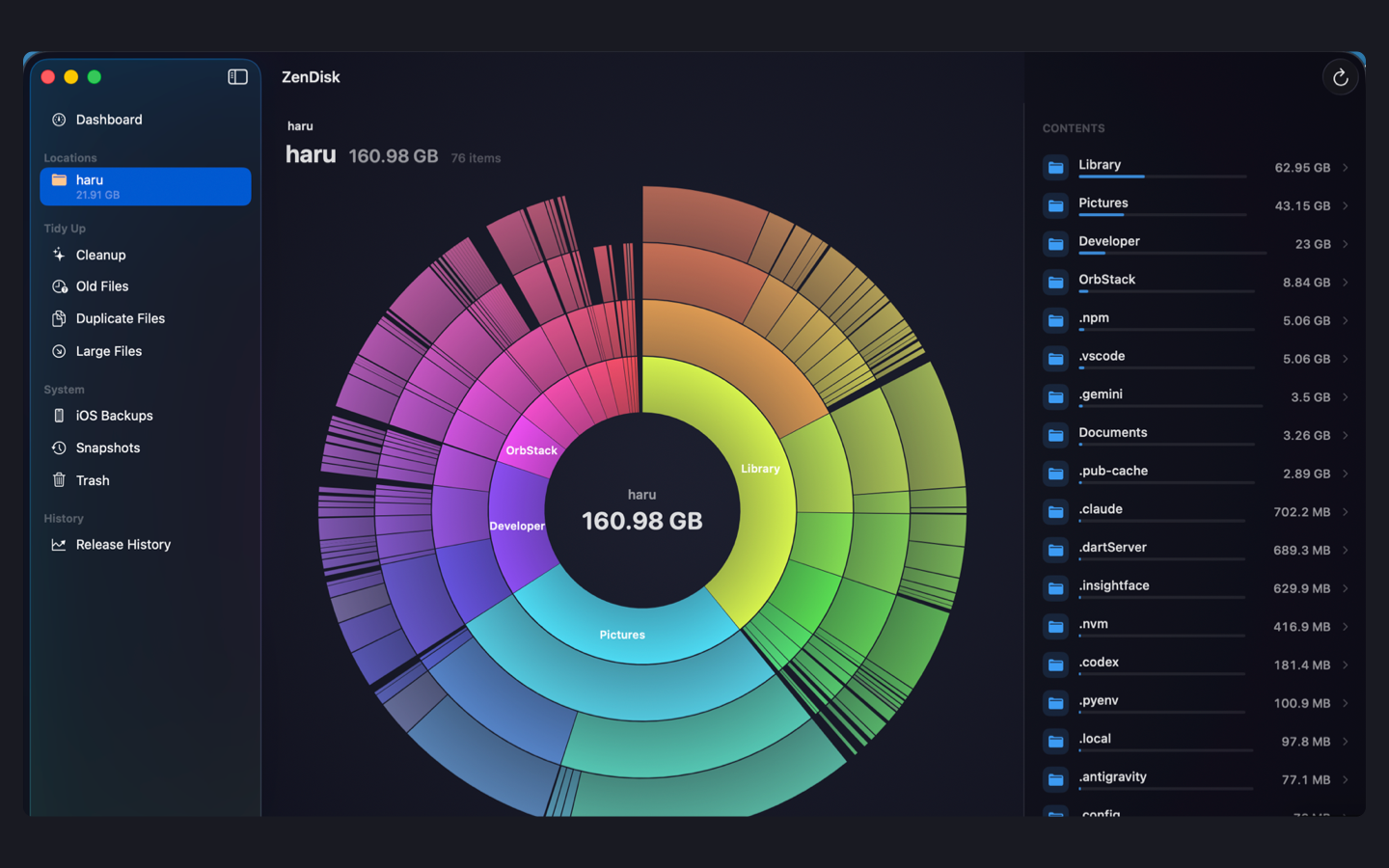
Hover the chart to see what's inside each folder.
How it works
Three steps. That's the whole app.
一 · SEE
See.
Pick a folder and watch the chart grow as it scans. Click to dive into any ring and spot the space hogs at a glance.
二 · TIDY
Tidy.
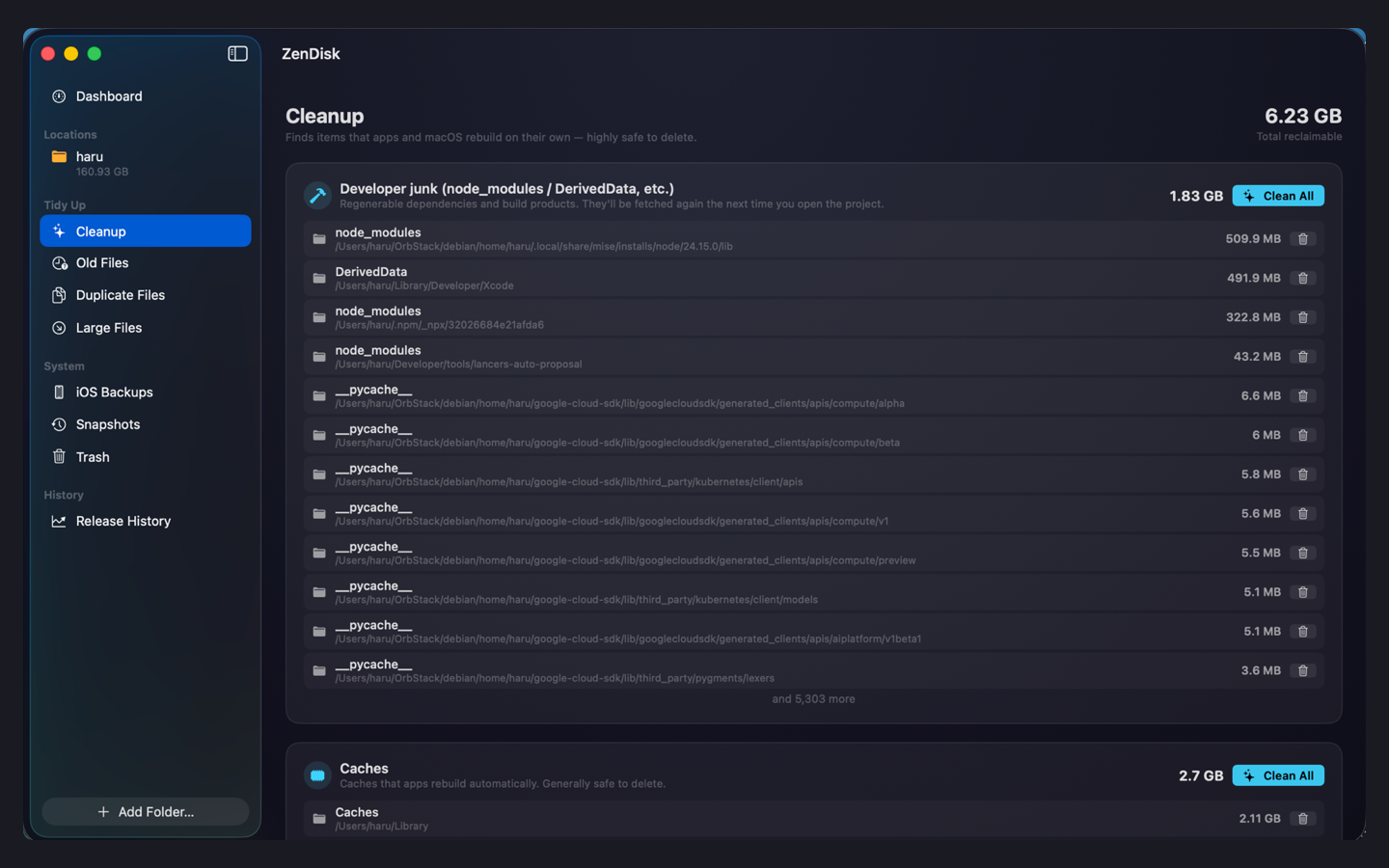
One-click cleanup for caches, dev leftovers and logs — things that are safe to remove because your apps rebuild them on their own.
三 · FIND
Find.
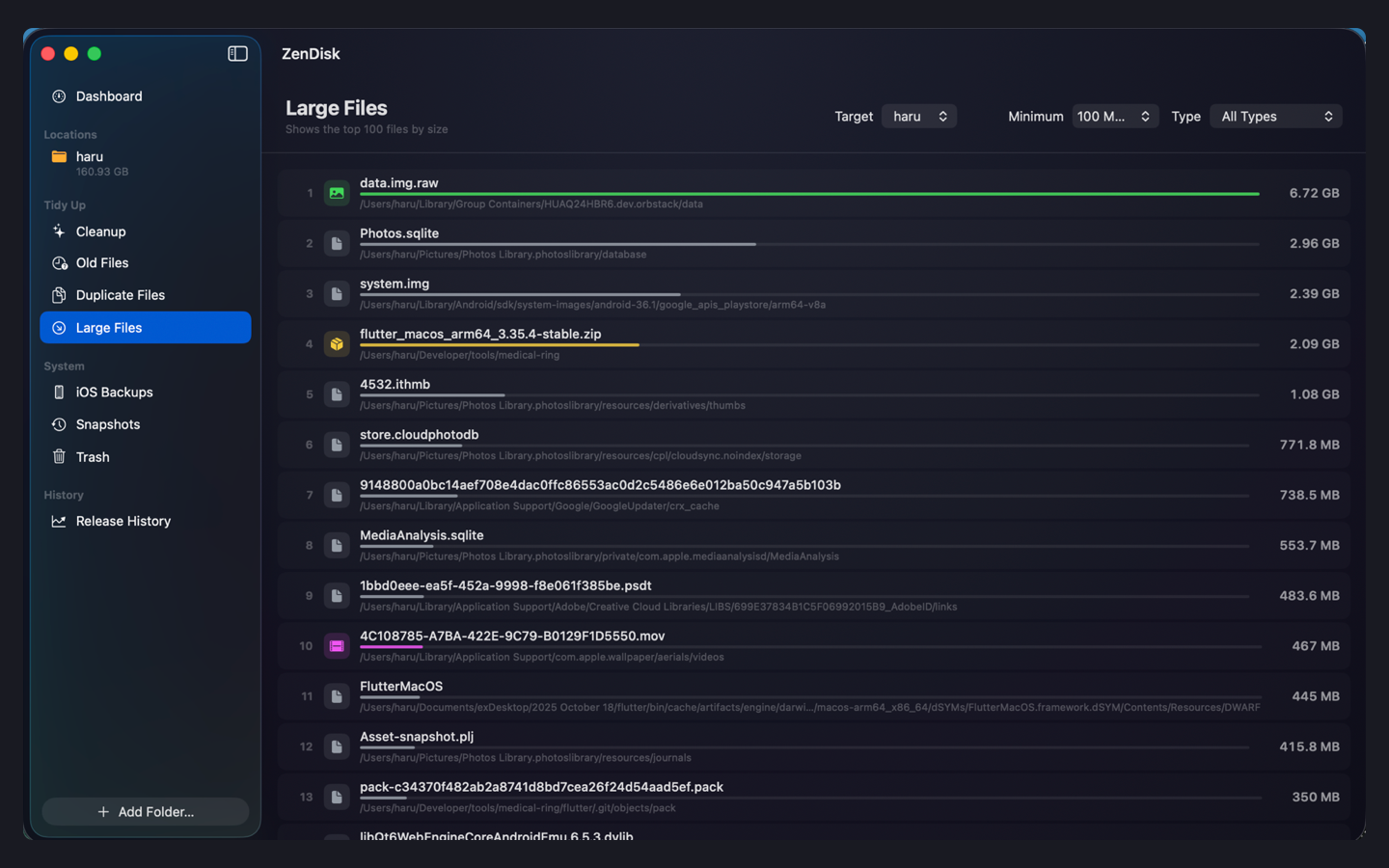
Your hundred largest files, ranked. Old installers and screenshots with their last-used dates. Duplicates, matched by content.
Stage files in the tray, then release them all at once —
watch them spiral into the center as the numbers count down.
Everything goes to the Trash first. Undo brings it all back.
Fast
Scans a lifetime of files in seconds.
A parallel scanner built directly on macOS system calls. The chart draws itself while the scan is still running.
¹ Measured on an Apple Silicon MacBook, ~3M files. Your numbers will vary.
Safe
It knows what it shouldn't touch.
Every item is classified before anything is suggested. Only you decide what to delete — ZenDisk never deletes on its own.
Safe to clean
Caches, logs, developer junk. Whitelisted items that apps rebuild automatically. These are the only things offered for one-click cleanup.
Your call — with evidence
Old installers, forgotten screenshots. Shown with their last-used dates so you can decide one by one, never in bulk by default.
Never suggested
Documents, photos, anything you made. Package internals like your Photos library are protected from accidental dives.
By default, your data never leaves your Mac.
ZenDisk works entirely offline — zero network traffic, no account, no analytics.
The only exception is the optional AI feature below, which is off until you turn it on.
Optional · AI
“What is this folder? Can I delete it?”
For everything the whitelist doesn't know, ask AI. It explains what a folder likely is, and how risky removing it would be.
It never reads your files.
Only metadata is sent — names, sizes, counts. Never file contents. You see the exact payload, in full, before anything is sent.
It never deletes anything.
AI answers are always suggestions. Deleting stays a thing only you do, through the same tray and Trash as everything else.
30 free consultations per month. Unlimited with ZenDisk Pro, or bring your own OpenRouter API key.
Price
Pay once. Own it.
- Every core feature included
- Not a subscription
- macOS 14 or later, Apple Silicon & Intel
ZenDisk Pro — a small optional subscription for unlimited AI consultations, with a 7-day free trial. Everything else is yours with the one-time purchase.